
Generating leads for local business is not just about collecting as many names as possible. A useful lead generation process helps teams find the right prospects, understand why they may need help, and move them into a clear follow-up workflow.
For local agencies, consultants, SaaS teams, and B2B service providers, the challenge is usually not a lack of businesses to contact. The challenge is finding relevant businesses with useful public data, such as location, category, website, phone number, rating, reviews, and business status.
What It Means to Generate Leads for Local Business
To generate leads for local business means to identify people or companies that may become customers. In a local context, this often starts with a specific city, neighborhood, industry, or service category.
For example, a web design agency may look for restaurants in Phoenix without a strong website. A reputation management company may target clinics with low ratings or many recent negative reviews. A B2B SaaS company may search for gyms, salons, or retailers that need better booking, inventory, or customer management software.
The goal is not only to find businesses. The goal is to find businesses with signals that show a possible need.
Why Local Lead Generation Starts With Better Data
Many teams start local prospecting with generic lead lists. These lists can be outdated, too broad, or missing the details needed for personalized outreach. A business name and phone number may not be enough.
Good local lead data usually includes:
- Business name
- Address
- Phone number
- Website
- Category
- Rating
- Review count
- Opening hours
- Business status
- Public email when available
- Social or profile links when available
These fields help teams qualify leads before outreach. A company with no website may be relevant for a web design offer. A business with many reviews but a low rating may be relevant for reputation management. A business with multiple locations may be relevant for operations software.
Tools That Help Generate Local Business Leads
Google Maps and Local Directories
Google Maps is often one of the best starting points for local lead generation. It organizes businesses by location, category, ratings, reviews, and public contact information. Local directories, chamber of commerce websites, review platforms, and niche marketplaces can also reveal useful business records.
The problem is scale. Manually copying business information from search results into a spreadsheet takes time and creates errors. A structured data collection tool can make this process faster and easier to repeat.
CoreClaw Ready-Made Workers
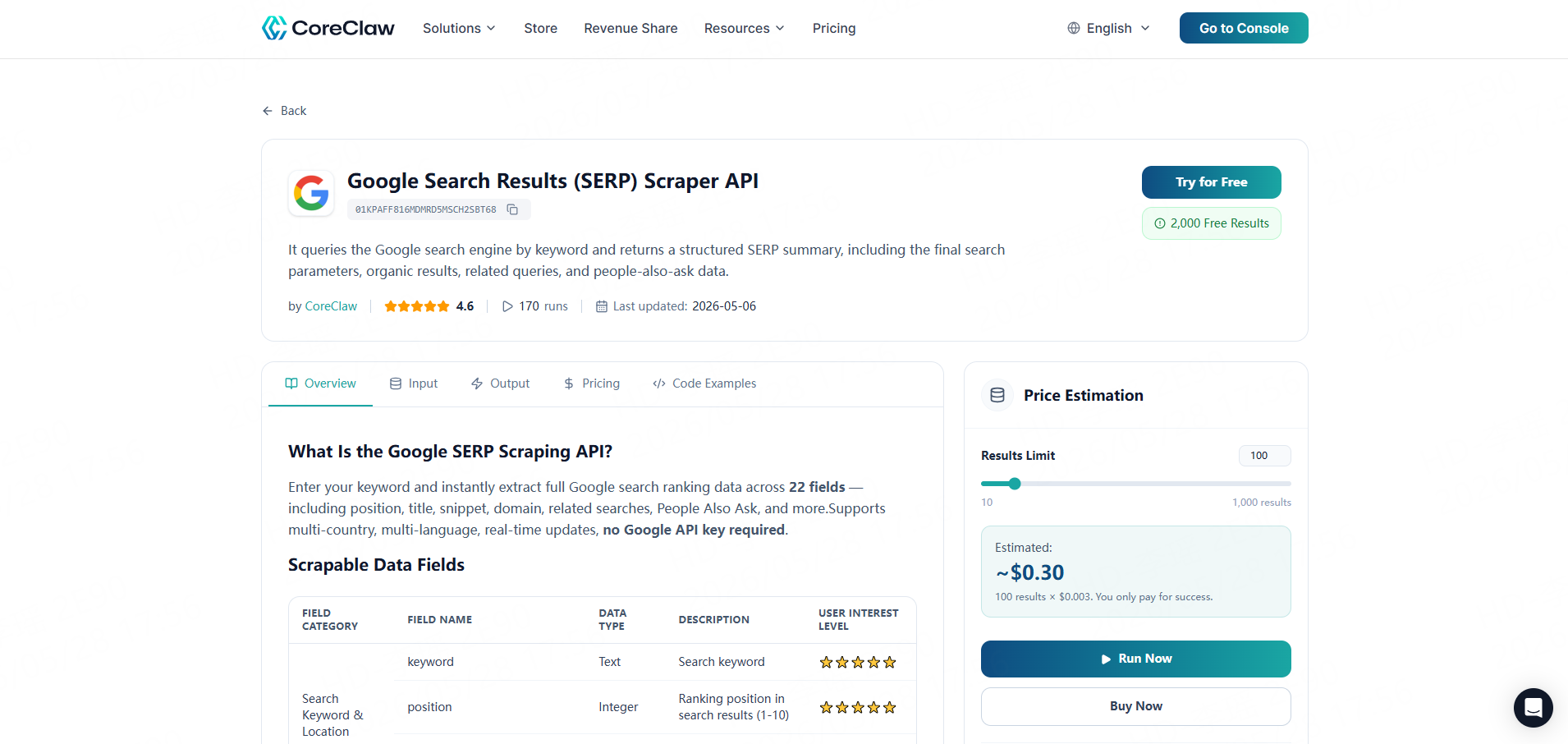
CoreClaw helps teams collect public web data with ready-made Workers and no coding required. Its ready-made tools, no-code usage, CSV, Excel, JSON, and API export, and pay-only-for-successful-results pricing.
For local lead generation, the most relevant Worker is the Google Maps B2B Leads Generation Scraper. Users can enter a keyword and location, run the task, and export structured business records. CoreClaw also offers Google Maps scraping tools that collect business details and reviews, which can support lead scoring and market research.
This makes CoreClaw practical for local marketing agencies, sales development teams, consultants, and non-technical users who need local business data without building a scraper from scratch.
CRM and Outreach Tools
A scraper helps collect and structure public lead data. A CRM helps manage follow-up. After exporting results from CoreClaw, teams can import qualified records into tools such as HubSpot, Pipedrive, Salesforce, or another CRM.
The important point is that data collection and outreach should be connected. A lead list becomes more useful when every record has a status, owner, follow-up date, and next action.
A Practical Workflow for Local Lead Generation
Step 1 Define Your Target Market
Start with a narrow market. A vague target like “small businesses in California” is too broad. A better target is “dentists in San Diego with fewer than 100 reviews” or “restaurants in Austin without a visible website.”
A clear target helps choose the right keyword, location, and filtering rules.
Step 2 Collect Public Business Data With CoreClaw
Next, use CoreClaw to collect public local business data. For example, a user can run a Google Maps Worker with a keyword such as “plumber,” “dentist,” “restaurant,” or “real estate agency,” then choose the target city or region.
The output can include business names, addresses, websites, phone numbers, available emails, ratings, review counts, categories, hours, and other public fields. These fields make the list more useful than a basic contact database.
Step 3 Filter and Prioritize the List
Not every record should become a sales lead. Teams should filter by fit and intent signals.
For example:
Lead Signal | What It May Suggest |
No website | Possible need for web design or local SEO |
Low rating | Possible need for reputation management |
Many reviews | Active customer base and local visibility |
Few reviews | Possible need for review growth |
Multiple locations | Possible need for software, operations, or reporting |
Missing contact details | May require enrichment before outreach |
This step turns raw data into a prioritized lead list.
Step 4 Export to CSV, JSON, or API
Different teams use different workflows. A small agency may export leads to CSV or Excel for manual review. A sales operations team may use JSON or API access to move records into a CRM, database, or enrichment workflow.
CoreClaw supports structured export formats, including CSV, Excel, JSON, and API options, which makes the data easier to use in spreadsheets, dashboards, and automated systems.
Step 5 Move Qualified Leads Into Outreach
Once the list is filtered, sales teams can create outreach segments. For example:
- Restaurants with low ratings
- Dentists without websites
- Gyms with many reviews but weak local SEO
- Local retailers with multiple locations
- Home service businesses in high-value neighborhoods
Each segment should have a different message. Personalized outreach works better when it connects to a real business signal.
Example Use Cases for Local Business Lead Generation
Agencies Selling to Local Businesses
Marketing, SEO, web design, and reputation management agencies can use CoreClaw to find businesses that match their service offers. Instead of sending the same message to every local company, they can build lists based on visible gaps, such as weak reviews, missing websites, or outdated business profiles.
SaaS Teams Targeting Local Operators
SaaS companies that sell booking tools, CRM software, inventory systems, payroll software, or customer support tools can use local business data to identify target accounts by category and location.
For example, a SaaS company selling appointment software may target salons, clinics, gyms, and repair shops in selected cities.
Market Research and Territory Planning
Local business data is also useful before outreach begins. A company can compare how many target businesses exist in different cities, which categories are crowded, and where competitors may already be active.
This helps teams choose better sales territories and avoid guessing.
Responsible Use of Local Business Data
Local lead generation should focus on publicly available business information. Teams should avoid private, sensitive, login-only, or restricted data unless they have permission and a valid legal basis.
Responsible outreach also matters. A clean lead list should not be used for spam. Messages should be relevant, respectful, and easy to opt out of. Data collection is only one part of the workflow; compliance and good sales judgment are just as important.
Conclusion
Generating leads for local business works best when teams treat it as a data workflow, not a one-time list-building task. The process starts with a clear target market, continues with structured public data collection, and becomes valuable when leads are filtered, exported, and moved into a repeatable sales process.
CoreClaw helps teams make this workflow more practical. With ready-made Workers, no-code Google Maps data collection, CSV/JSON export, API access, and pay-per-successful-result pricing, CoreClaw gives local agencies, sales teams, and business operators a cleaner way to turn public local business data into usable lead opportunities.
Frequently Asked Questions

Content Writer @CoreClaw · Last Updated 2026-05-28
Lena Kovalenko researches how modern software systems expose and organize information online. Her writing focuses on the interaction between APIs, web platforms, and automated data workflows. When exploring a topic she typically compares multiple tools to understand their design assumptions. These comparisons often lead to articles that help readers see how different technical approaches influence reliability and efficiency.
View Author Profile →Disclaimer: All information on the CoreClaw Blog is provided “as is” and for informational purposes only. CoreClaw makes no representations and assumes no liability for any consequences arising from your use of information published on the CoreClaw Blog or on any third-party websites linked from it. Before any scraping activity, consult legal counsel, review the target website’s terms of service, and obtain permission where required.




