

Business lead lists are the starting point for many sales, marketing, partnership, and market research workflows. A lead list may look simple: company names, websites, emails, phone numbers, and notes. But the quality of that list often decides whether outreach becomes focused and useful or noisy and wasteful.
A better business lead list is not just a larger spreadsheet. It is a structured dataset that helps a team understand who the prospect is, why they may be relevant, how to contact them, and what signal makes them worth prioritizing. This article explains how to build cleaner, more useful prospect data and how CoreClaw can help teams collect public business information without manual copy-and-paste work.
What Is a Business Lead List?
A business lead list is a collection of companies or contacts that may be a good fit for a product, service, partnership, or research project. In sales, the list usually supports outbound calls, cold emails, CRM imports, account research, or local prospecting.
A basic lead list may include only company names and emails. A better list includes context. For example, a local SEO agency may need the business category, city, website, rating, review count, and phone number. A B2B SaaS company may care about company size, industry, tools used, location, and decision-maker roles.
The goal is not to collect every possible field. The goal is to collect enough useful information to decide whether a business is worth contacting and how to personalize the next step.
Why Better Prospect Data Matters More Than More Rows
Many teams make the same mistake: they measure lead generation by list size. A list with 10,000 poorly matched records may look impressive, but it can create more work than value.
Bad prospect data causes several problems. Sales reps waste time contacting companies that do not match the offer. Marketing teams send generic messages because they do not have useful segmentation fields. CRM systems become cluttered with duplicates, outdated records, and missing context. Cold outreach performance drops because the list was never built around a real customer profile.
Better data improves the whole workflow. It helps teams filter faster, personalize messages, prioritize high-fit accounts, and measure which segments actually convert.
What Should a Business Lead List Include?
A strong business lead list usually combines company-level data, contact data, and qualification data.
Company-Level Fields
Company-level fields describe the business itself. These may include:
Field | Why It Matters |
Business name | Identifies the account |
Website | Helps verify legitimacy and research fit |
Category or industry | Supports segmentation |
Location | Useful for local targeting and territory planning |
Phone number | Enables call-based outreach |
Address | Helps identify local market presence |
Source URL | Makes the record easier to audit later |
For local business prospecting, Google Maps data can be especially useful because it often connects business names with public locations, categories, websites, phone numbers, ratings, and review counts.
Contact and Outreach Fields
Contact fields help teams reach the right person or channel. These may include email, phone number, contact page, LinkedIn profile, social profile, or role-based contact information.
Not every business will publish every contact field. That is normal. A cleaner workflow should mark missing fields clearly instead of filling gaps with unreliable guesses.
Qualification and Priority Fields
Qualification fields explain why a lead matters. Examples include:
Field | Example Use |
Rating | Reputation management targeting |
Review count | Local visibility analysis |
Website present or missing | Web design prospecting |
Business status | Active business filtering |
Category fit | Niche segmentation |
Priority score | Sales ranking |
Notes | Human review and context |
These fields turn a flat contact list into a practical prospecting dataset.
How to Build a Better Business Lead List
Step 1: Define the Ideal Customer Profile
Start with the type of business that is most likely to need the offer. This is the Ideal Customer Profile, or ICP. An ICP describes the kind of company that fits best.
For example:
Offer | Possible ICP |
Local SEO service | Clinics, restaurants, salons, or contractors with weak local visibility |
Reputation management | Businesses with many reviews but low average ratings |
Web design service | Local companies with no website or outdated websites |
B2B SaaS product | Companies in a specific industry, region, or operational stage |
Clear targeting prevents unnecessary data collection. It also makes the final list easier to score.
Step 2: Choose the Right Public Data Sources
Different lead lists need different sources. Local business lists may start with Google Maps. Ecommerce leads may come from marketplace sellers. Creator partnership lists may come from public social media profiles. Market research lists may use public directories, search results, or review platforms.
For business lead lists, useful public sources may include:
Source | Best For |
Google Maps | Local businesses, stores, clinics, agencies, contractors |
Google Search | SERP research, company discovery, niche websites |
Business directories | Industry-specific lead discovery |
Review platforms | Reputation and customer feedback signals |
Social platforms | Public brand, creator, or page data |
Company websites | Contact pages, service descriptions, location details |
The source should match the campaign goal. A local agency does not need a generic global database if its best prospects are businesses in a specific city and category.
Step 3: Collect Structured Business Data with CoreClaw
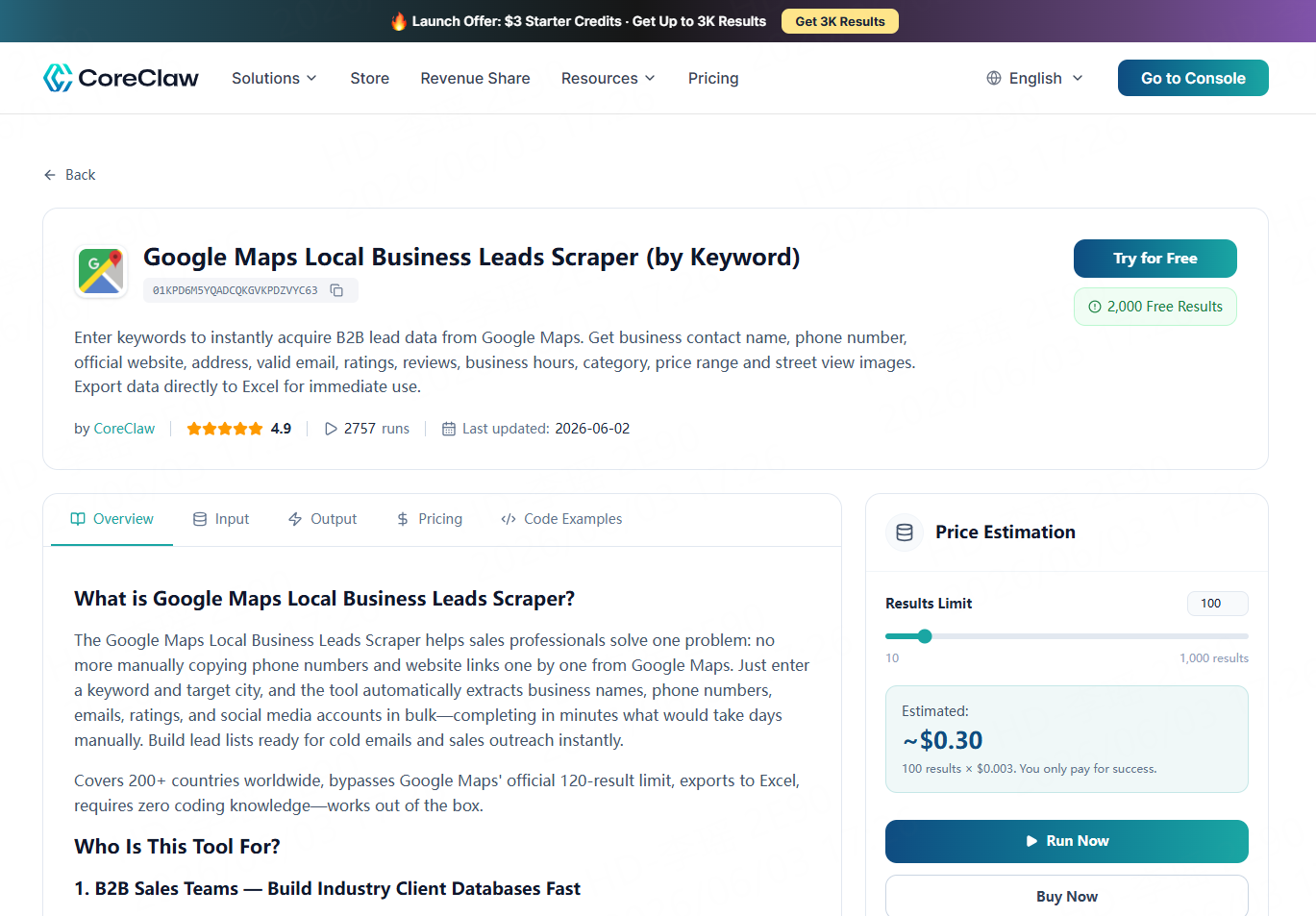
Manual list building works for small research projects, but it becomes slow when a team needs hundreds or thousands of records. CoreClaw provides ready-made Workers that help teams collect public web data without writing code.
For local prospecting, CoreClaw’s Google Maps B2B Leads Generation Scraper can be used to collect public business data by keyword and location. A user can search for categories such as “dentists in Austin,” “restaurants in Seattle,” or “roofing companies in Denver,” then export structured results for review.
CoreClaw is useful because the workflow is built around ready-to-use data, not raw page copying. Teams can work with cleaned and filtered structured data, then export results as CSV, Excel, JSON, or through API access. This makes the data easier to review in spreadsheets, import into CRM systems, or connect with internal workflows.
Step 4: Export to CRM, Spreadsheet, or API Workflow
CSV and Excel are best for spreadsheet review, manual filtering, deduplication, and simple CRM imports. JSON and API access are better for technical teams that want to connect lead collection with dashboards, internal tools, enrichment workflows, or recurring data pipelines.
Before outreach, teams should also verify important contact fields, especially emails. Good prospect data still benefits from sample checks and validation before it is used for commercial campaigns.
Final Thoughts
Business lead lists work best when they are built as prospect data systems, not just spreadsheets. The strongest lists combine relevant sources, structured fields, cleaning, filtering, scoring, and responsible outreach preparation.
CoreClaw helps teams create this workflow with ready-made Workers, no-code data collection, cleaned and filtered structured outputs, CSV/JSON/Excel export, API access, pay-only-for-successful-results pricing, and custom Worker options for more specific sources. With CoreClaw, teams can spend less time copying public business data by hand and more time turning better prospect data into focused sales and research workflows.
Frequently Asked Questions

Content Writer @CoreClaw · Last Updated 2026-06-04
Lena Kovalenko researches how modern software systems expose and organize information online. Her writing focuses on the interaction between APIs, web platforms, and automated data workflows. When exploring a topic she typically compares multiple tools to understand their design assumptions. These comparisons often lead to articles that help readers see how different technical approaches influence reliability and efficiency.
View Author Profile →Disclaimer: All information on the CoreClaw Blog is provided “as is” and for informational purposes only. CoreClaw makes no representations and assumes no liability for any consequences arising from your use of information published on the CoreClaw Blog or on any third-party websites linked from it. Before any scraping activity, consult legal counsel, review the target website’s terms of service, and obtain permission where required.




