
Local business emails are useful for sales, partnerships, market research, local SEO, web design outreach, reputation management, and B2B service campaigns. The challenge is that local business contact data is scattered across Google Maps, business websites, directories, social profiles, and review platforms.
Collecting this data manually takes time. A no-code workflow helps non-technical teams find public business information, extract available emails, export clean lists, and prepare outreach without building a scraper or hiring a developer. This article explains practical ways to collect local business emails and how CoreClaw can help teams turn public local business data into structured lead lists.
What Does “Collect Local Business Emails Without Coding” Mean?
Collecting local business emails without coding means using ready-made tools, forms, scrapers, email finders, and exports instead of writing Python scripts or managing scraping infrastructure.
A no-code workflow does not mean “one-click perfect data.” It means business users can follow a repeatable process: choose a source, collect public business records, find available emails, clean the list, verify the contacts, and export the final dataset.
For local prospecting, emails are only one part of the lead record. A strong lead list should also include the business name, website, phone number, address, category, city, rating, review count, and source URL. These fields help teams understand whether the business is a good fit before sending outreach.
Why Local Business Emails Are Hard to Collect Manually
Local businesses do not publish contact details in one standard format. Some list an email directly on their website. Others use contact forms. Some only publish a phone number. Some business profiles show a website but not an email.
This creates three common problems. First, manual search is slow. Second, copied data can become messy or inconsistent. Third, many emails may be outdated, role-based, or invalid.
Google Business Profile is important because businesses use it to appear on Google Search and Maps, where potential customers can find their public details. For lead generation teams, this makes Google Maps a useful starting point, but it should be treated as the beginning of the workflow, not the final outreach list.
Best No-Code Ways to Collect Local Business Emails
1. Start with Google Maps Business Data
Google Maps is often the best starting point for local email collection because it organizes businesses by category and location. A query like “roofing companies in Denver” or “dental clinics in Austin” can reveal business names, websites, phone numbers, addresses, ratings, and categories.
CoreClaw’s Google Maps B2B Leads Generation Scraper is a practical no-code option for this step. The Worker is designed to extract public Google Maps business data by keyword and can include fields such as business name, phone, website, address, available email, ratings, reviews, opening hours, categories, and more. It supports structured export in CSV, Excel and JSON formats.
This is useful for teams that want to build a local prospect list without copying each listing by hand.
2. Check Business Websites and Contact Pages
Many local business emails are not shown directly in Google Maps, but they may appear on the company website. Contact pages, footer sections, team pages, booking pages, and privacy pages often contain public email addresses.
A simple no-code process is to collect business websites first, then review or enrich those websites for contact details. For small lists, this can be done manually. For larger lists, teams may use a data collection tool or request a custom Worker for a specific source.
3. Use Local Directories and Industry Lists
Local directories can be useful for niche prospecting. Examples include chamber of commerce websites, contractor directories, restaurant directories, clinic listings, real estate directories, and association member pages.
These sources can reveal businesses that are not easy to find in general B2B databases. The downside is inconsistency. Some directories include emails, while others only include names, websites, or phone numbers.
For a repeatable process, treat directories as secondary sources. Use them to enrich or validate the list started from Google Maps.
4. Capture Inbound Emails with Forms and Lead Magnets
Not every email list has to come from outbound research. Local businesses can also share emails through inbound forms, event registrations, downloadable guides, webinars, free audits, or quote requests.
This method is slower, but the contacts usually show stronger intent. For agencies and local service providers, inbound capture can work well alongside outbound prospecting.
A Practical No-Code Workflow with CoreClaw
Step 1: Choose the Right Worker
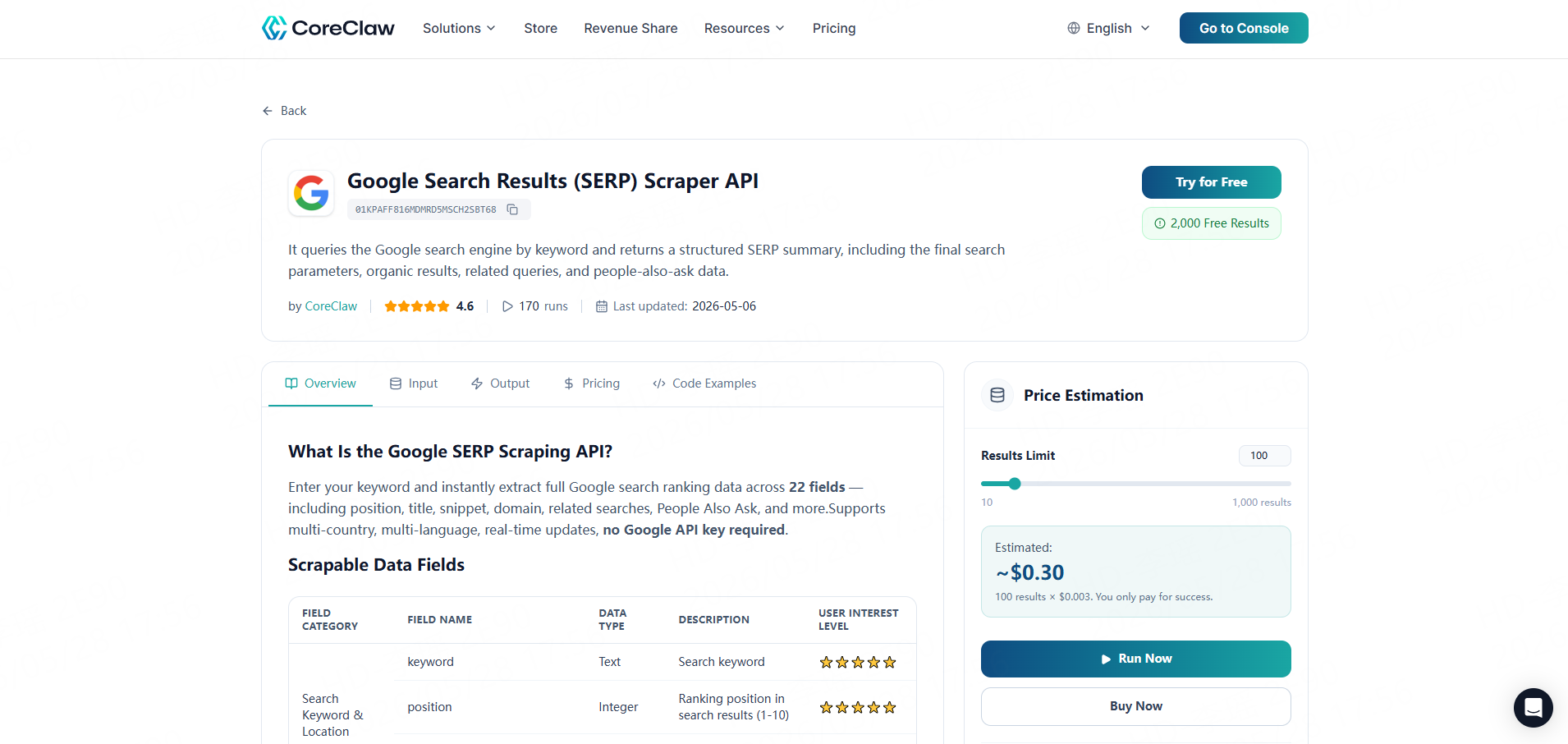
CoreClaw is designed for practical web data collection workflows. We offer 100+ ready-made Workers that let users collect structured web data without writing code. Results can be exported as CSV, Excel, or JSON, or accessed through API integrations.
For this workflow, we will use the Google Maps B2B Leads Generation Scraper as an example. This Worker helps turn repetitive manual copy-and-paste work into a faster, cleaner, and more structured data extraction process.
Step 2: Configure the Google Maps Worker
To start, set your target keywords and geographic locations. The Worker will then collect publicly available business information from Google Maps based on your input.
For broader coverage, you can combine several related but non-overlapping keywords. This often helps uncover a wider range of local businesses. However, adding more keywords may also increase the task runtime.
Instead of entering too many similar terms, it is better to mix keywords that reflect different business intents or categories. Highly repetitive keywords may only make the task take longer without significantly increasing the number of useful results.
Recommended keyword examples: bakery, coffee shop, gym, bookstore, florist, pet store, beauty salon
Step 3: Export to CSV, Excel, or JSON
For most business users, CSV or Excel is the easiest format. It allows filtering, deduplication, tagging, and review before outreach. Developers or RevOps teams may prefer JSON or API access to connect results with internal tools.
A clean export should include at least:
Field | Why It Matters |
Business name | Identifies the company |
Email | Main outreach field |
Website | Helps verify legitimacy |
Phone | Alternative contact option |
Address and city | Supports local segmentation |
Category | Helps personalize messaging |
Rating and reviews | Useful for prioritization |
Source URL | Helps audit the data later |
Step 4: Move Leads into CRM or Outreach Tools
The data captured by CoreClaw has been cleaned and filtered; you can directly import this list into your CRM system, spreadsheet, or outreach platform, and add tags such as city, business category, source, marketing campaign type, and priority.
Teams with recurring workflows can use CoreClaw’s API option to connect public data collection with internal systems, dashboards, or enrichment workflows.
What Data Should You Collect Besides Email?
An email address by itself is not enough. The best local outreach lists include context.
For example, a web design agency should know whether the business has a website. A reputation management agency should know ratings and review counts. A local SEO agency should know business category, city, and visible profile quality.
More context leads to better prioritization and better messages. Instead of sending generic outreach, teams can explain why the offer is relevant to that business.
Responsible Email Collection and Outreach
Local email collection should focus on public business information and responsible outreach. Avoid private, sensitive, login-only, or restricted data. Do not scrape personal information that is not needed for the business purpose.
In the United States, the FTC’s CAN-SPAM guidance says commercial emails should not use false or misleading header information, should not use deceptive subject lines, should identify the message appropriately, and should provide a way to opt out. In the UK, ICO guidance explains that B2B marketing rules differ depending on whether recipients are corporate or individual subscribers, and businesses still need to consider privacy and direct marketing requirements.
The practical rule is simple: collect only what is needed, verify the data, personalize outreach, avoid spam, and make opt-out easy.
When to Request a Custom Worker
Ready-made Workers are ideal when the target source is common, such as Google Maps. But some local campaigns need niche data sources.
A team may need a custom Worker for:
- Industry association directories
- Franchise location pages
- Local marketplace listings
- City-specific business directories
- Review sites or niche professional directories
CoreClaw supports custom Workers for cases where a ready-made Worker does not match the exact workflow. This helps teams keep a no-code experience while collecting structured data from more specific public sources.
Final Thoughts
Collecting local business emails without coding works best when it is treated as a structured workflow, not a one-time copy-paste task.
With CoreClaw, teams can use ready-made Workers such as the Google Maps B2B Leads Generation Scraper to collect public local business data without writing code. CSV, Excel, JSON, and API export make the data easier to review or connect to sales workflows, while pay-per-success pricing helps teams focus on usable results. For niche sources, custom Workers can extend the same workflow to more specialized local business data.
Frequently Asked Questions

Content Writer @CoreClaw · Last Updated 2026-05-29
Lena Kovalenko researches how modern software systems expose and organize information online. Her writing focuses on the interaction between APIs, web platforms, and automated data workflows. When exploring a topic she typically compares multiple tools to understand their design assumptions. These comparisons often lead to articles that help readers see how different technical approaches influence reliability and efficiency.
View Author Profile →Disclaimer: All information on the CoreClaw Blog is provided “as is” and for informational purposes only. CoreClaw makes no representations and assumes no liability for any consequences arising from your use of information published on the CoreClaw Blog or on any third-party websites linked from it. Before any scraping activity, consult legal counsel, review the target website’s terms of service, and obtain permission where required.




