Finding public social media profiles should not require opening ten platforms, copying names into search bars, and manually checking whether each result is relevant. For marketing, recruiting, creator discovery, brand monitoring, and lead research, this manual process is slow and easy to get wrong.
A social media finder helps solve that problem. It searches public profile signals across multiple platforms and turns scattered results into a more organized dataset. With CoreClaw, teams can use ready-made Workers to find public profiles, check usernames, collect social data, and export cleaner results without writing code.
What Is a Social Media Finder?
A social media finder is a tool that helps users discover public social media profiles, accounts, usernames, and related profile URLs across different platforms. Depending on the tool, users may search by name, username, brand name, website, or profile URL.
For example, a marketer may want to find whether a creator uses the same handle on Instagram, TikTok, YouTube, X, Pinterest, or GitHub. A sales team may want to identify public company profiles before outreach. A brand team may want to check whether a username is already taken across major platforms.
The main value is not only discovery. The real value is structure. A good social media finder should return organized fields such as platform, username, profile URL, status, response details, and source information so the results can be reviewed and exported.
Why Public Profile Discovery Matters
Public social profiles are useful because they provide context. A company website may show what a business says about itself, but social profiles can reveal audience size, posting activity, creator style, brand positioning, public engagement, and platform presence.
Teams commonly use social profile discovery for:
Use Case | Why It Matters |
Creator discovery | Find creators across multiple platforms |
Brand monitoring | Check official and unofficial public profiles |
Lead research | Add public social context to business records |
Recruiting | Review public professional or portfolio profiles |
Market research | Study how brands, creators, or communities appear online |
Username protection | Check if a brand handle is available or taken |
The challenge is that social profiles are spread across many websites. Manual checking can work for one person or one brand. It does not scale when a team needs to check hundreds or thousands of names.
What Data Can a Social Media Finder Collect?
A social media finder usually focuses on public and non-sensitive profile-level data. Common fields include:
Data Field | Example |
Input name or username | coreclaw, brand name, creator handle |
Platform | Instagram, TikTok, YouTube, LinkedIn, GitHub |
Profile URL | Public profile link |
Availability status | Found, not found, available, taken |
HTTP status or response signal | Useful for verification |
Response time | Useful for technical review |
Source site | The platform checked |
Notes or error details | Helps identify failed or blocked checks |
How to Find Public Profiles Without Coding
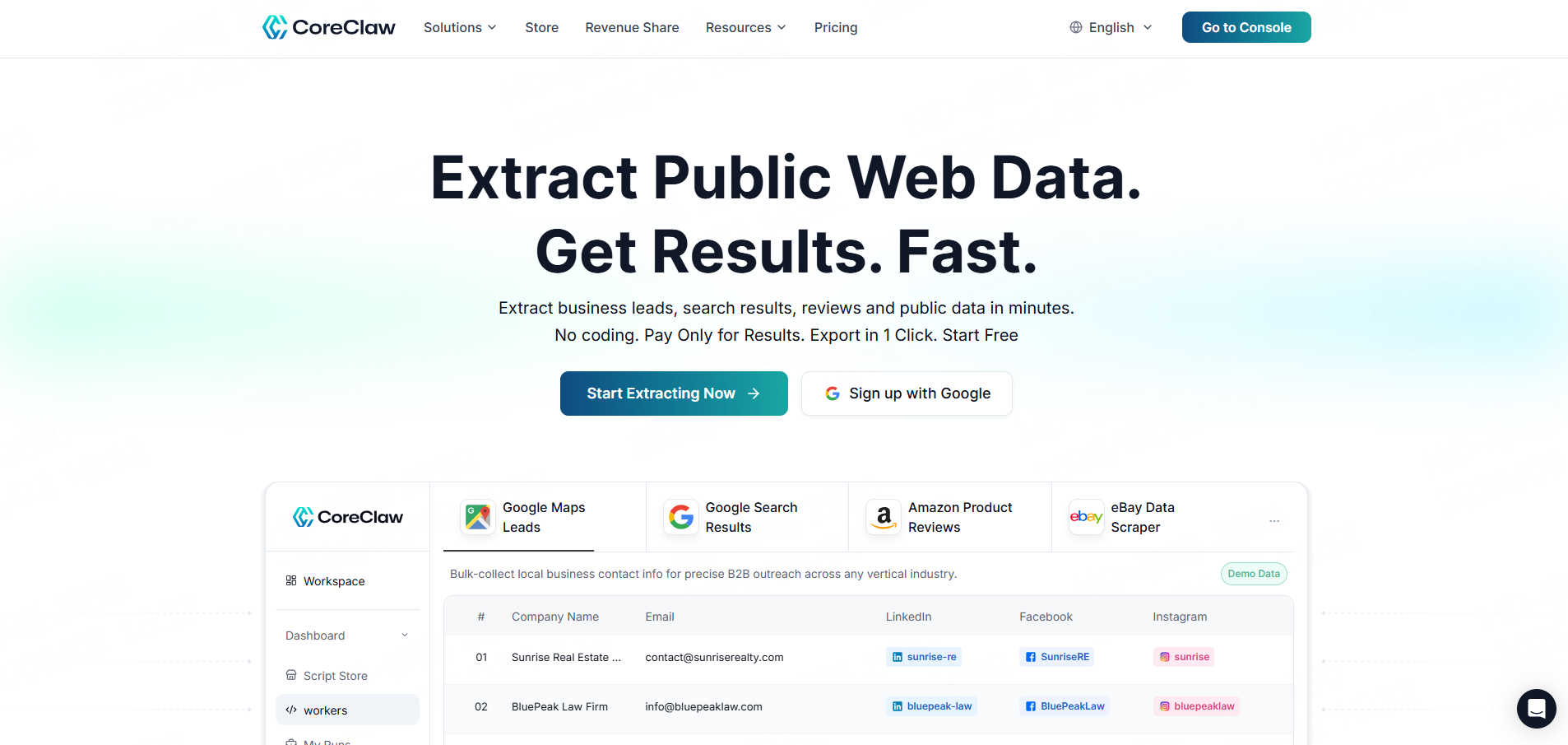
CoreClaw is a cloud-based web data collection platform with ready-made Workers for maps, search, social media, ecommerce, and more. Its platform emphasizes no-code usage, one-click export, and pay only for results.
CoreClaw is a cloud-based web data collection platform with ready-made Workers for maps, search, social media, e-commerce, and more. Its platform emphasizes no-code usage, one-click export, and pay only for results.
You can use platform-specific CoreClaw Workers for deeper research. CoreClaw lists social media Workers for platforms such as Instagram, TikTok, Facebook, YouTube, Reddit, and LinkedIn-style lead research. These can help teams move from“profile discovery”to“profile analysis,”including public posts, creator metrics, engagement data, hashtags, comments, pages, and public profile information where available.
Social Media Finder vs Social Media Scraper
These two tools are related, but they are not the same.
A social media finder helps discover whether a public profile or username exists. It answers questions like: “Where is this username used?” or “Which public profile URLs are connected to this brand name?”
A social media scraper collects structured data from public social pages. It answers questions like: “How many followers does this public profile have?” “What posts did this creator publish?” or “Which hashtags appear most often?”
In practice, teams often use both. First, find the profiles. Then, collect structured public data from the most relevant profiles.
What to Look for in a Social Media Finder
A useful social media finder should be easy to run, but it should also return data that can be checked and used.
Look for:
Feature | Why It Matters |
Multi-platform coverage | More platforms increase discovery range |
Bulk search | Useful for brand lists, creator lists, or lead lists |
Structured output | Makes filtering and export easier |
Status signals | Helps separate found, not found, and uncertain results |
Export options | CSV, Excel, JSON, and API make results usable |
No-code workflow | Helps non-technical teams move faster |
Responsible data handling | Reduces privacy and compliance risk |
Responsible Use of Public Social Profile Data
A social media finder should be used for legitimate public data workflows. Teams should avoid private profiles, login-only content, sensitive personal information, and restricted data. Public availability does not automatically mean every use is appropriate.
For business workflows, the safest approach is to collect only what is needed, verify important matches manually, avoid invasive profiling, and follow applicable privacy, marketing, and platform rules. Social profile discovery should support research, enrichment, and analysis—not harassment, spam, impersonation, or surveillance.
Conclusion
Finding public social profiles manually is slow, repetitive, and difficult to scale. A social media finder gives teams a cleaner way to check usernames, discover public profile URLs, and organize social presence data across platforms.
Frequently Asked Questions

Content Writer @CoreClaw · Last Updated 2026-06-02
Lena Kovalenko researches how modern software systems expose and organize information online. Her writing focuses on the interaction between APIs, web platforms, and automated data workflows. When exploring a topic she typically compares multiple tools to understand their design assumptions. These comparisons often lead to articles that help readers see how different technical approaches influence reliability and efficiency.
View Author Profile →Disclaimer: All information on the CoreClaw Blog is provided “as is” and for informational purposes only. CoreClaw makes no representations and assumes no liability for any consequences arising from your use of information published on the CoreClaw Blog or on any third-party websites linked from it. Before any scraping activity, consult legal counsel, review the target website’s terms of service, and obtain permission where required.