Google Maps is one of the most useful public sources for local business research. A search such as “dentists in Austin,” “roofing companies in Denver,” or “restaurants in Seattle” can reveal business names, addresses, phone numbers, websites, ratings, reviews, opening hours, categories, and location details.
The problem is that copying this data manually is slow. A Google Maps scraper helps teams collect public business information and turn it into structured data that can be filtered, reviewed, exported, and used for sales, local SEO, market research, or agency outreach.
Why Google Maps Is Useful for Local Lead Generation
Local lead generation starts with finding businesses that match a specific market, location, and need. Google Business Profile is designed to help businesses appear on Google Search and Maps, which makes Google Maps a practical starting point for discovering local companies by category and location.
For example, a web design agency may want local businesses with no website. A reputation management agency may look for companies with low ratings or many reviews. A local SEO agency may target businesses in competitive cities that need better search visibility.
A useful lead list should include more than a business name. It should include context that helps teams decide whether the business is worth contacting.
What Data Can a Google Maps Scraper Collect?
A Google Maps scraper can collect visible public business data from Google Maps and organize it into structured rows.
Common fields include:
Field | Why It Matters |
Business name | Identifies the company |
Website | Helps verify the business and find more context |
Phone number | Useful for sales follow-up |
Address and city | Supports local segmentation |
Category | Helps personalize outreach |
Rating and review count | Shows reputation and customer activity |
Opening hours | Useful for local market research |
Google Maps URL | Helps audit the source later |
Email, when available | Supports outreach after verification |
CoreClaw’s Google Maps Scraper page describes structured extraction of public place data such as business name, address, phone, website, rating, review count, opening hours, category, coordinates, images, social links, and emails when available.
When Should You Use a No-Code Google Maps Scraper?
A no-code Google Maps scraper is useful when your team needs local business data but does not want to write Python scripts, maintain proxies, handle browser automation, or clean raw HTML.
It is especially useful for:
Team | Typical Goal |
Local SEO agencies | Find businesses that need website, SEO, or review support |
Sales teams | Build city-based prospect lists |
Market researchers | Compare business density, categories, ratings, and locations |
Franchise teams | Study local competitors in target regions |
Service providers | Find prospects by niche and location |
Developers may prefer scraper APIs or open-source tools. But for business users, a ready-made Worker is usually faster because the output is already structured for export.
How to Collect Local Leads Without Coding
Step 1: Define Your Target Market
Start with a focused query. Do not search for “businesses in California.” Search for a clear category and location, such as:
Goal | Better Search Input |
Web design outreach | “restaurants in Austin” |
Local SEO sales | “dentists in Chicago” |
B2B service prospecting | “auto repair shops in Phoenix” |
Market research | “gyms in Miami” |
A focused input makes the final dataset easier to clean and easier to use.
Step 2: Run a Google Maps Scraper
Open a ready-made Google Maps scraper and enter your keyword, location, or Google Maps search URL, depending on the tool. CoreClaw’s Google Maps data scraper supports workflows where users add Google Maps list URLs and export results in JSON or CSV formats.
Start with a small test before collecting a large dataset. Check whether the scraper returns the fields you need, such as business name, phone, website, category, rating, and source URL.
Step 3: Clean and Filter the Results
Lead data is only useful if it is relevant. After collection, filter the dataset based on your campaign goal.
For example:
Campaign Goal | Useful Filter |
Web design outreach | Businesses with no website |
Review management | Low rating or high review count |
Local SEO | Specific category and city |
Sales prospecting | Businesses with phone, website, or email |
Market research | Category, rating, location, and review volume |
CoreClaw helps teams work with cleaned and filtered structured data, so the output is easier to review before export instead of being a raw page dump.
Step 4: Export the Data
Choose the export format based on how the data will be used.
Format | Best For |
CSV | Spreadsheet review and quick filtering |
Excel | Business reporting and manual cleanup |
JSON | Developer workflows and dashboards |
API | Recurring lead collection or CRM pipelines |
Many no-code Google Maps scraping tools emphasize CSV or Excel export, while CoreClaw also supports API workflows for teams that want to connect data collection to internal systems.
Step 5: Move Qualified Leads Into Outreach
After export, do not contact every record immediately. Add a review step. Remove duplicates, check business websites, verify emails when available, and tag records by city, category, lead signal, and campaign type.
A good lead list should help your team write relevant outreach. For example, a message to a restaurant with no website should be different from a message to a dental clinic with many low reviews.
Common Use Cases for Google Maps Lead Data
Use Case | Data Needed | Example Workflow |
Local SEO prospecting | Category, city, website, rating, reviews | Find businesses with weak local visibility |
Web design outreach | Website, category, phone, location | Identify businesses without strong websites |
Reputation management | Rating, review count, review links | Prioritize businesses with review issues |
Market research | Category, address, coordinates, reviews | Compare local competition across cities |
Sales list building | Name, phone, website, email, source URL | Export leads into CRM or outreach tools |
This keeps the workflow focused. The goal is not to scrape every visible field. The goal is to collect the right public data, clean it, and turn it into an actionable list.
How CoreClaw Helps With Google Maps Lead Collection
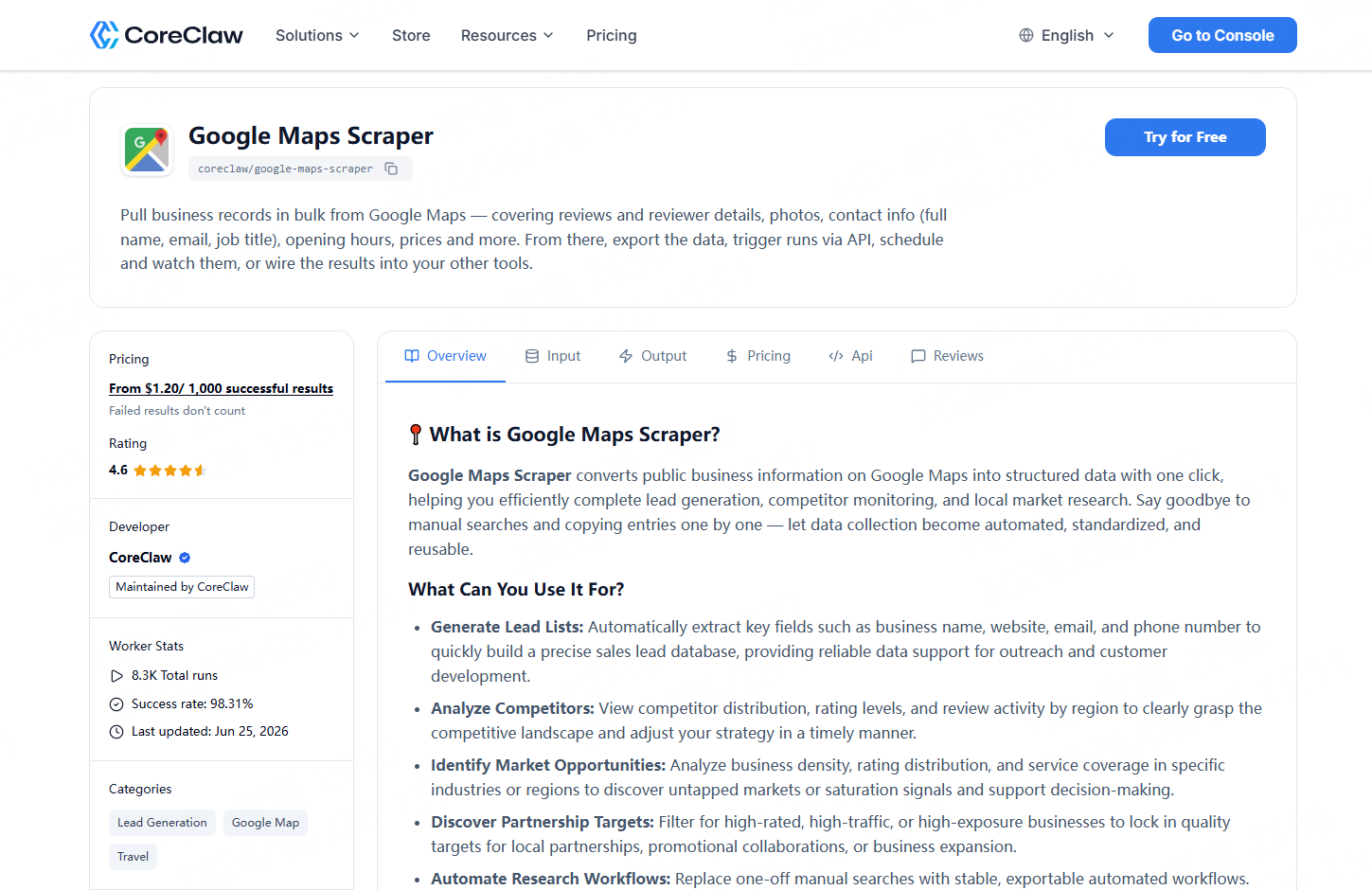
CoreClaw is built for teams that want web data without coding. Its Google Maps B2B Leads Generation Scraper helps users collect public local business data from Google Maps and turn it into structured results for lead generation, competitor monitoring, and local market research.
With CoreClaw, teams can use ready-made Workers, export CSV/JSON/Excel results, connect through API workflows, and pay only for successful results. For niche sources, such as industry directories or custom local databases, teams can also request a custom Worker.
This makes CoreClaw useful for agencies, sales teams, market researchers, and non-technical business users who need cleaner datasets before importing leads into spreadsheets, CRMs, or outreach workflows.
Responsible Use and Data Quality Checks
A Google Maps scraper should be used for legitimate public data workflows. Avoid private, sensitive, login-only, or restricted data. Do not treat scraped data as automatically perfect.
Before outreach, sample-check records, verify important contact fields, remove duplicates, and keep source URLs for auditing. If using email outreach in the United States, FTC guidance for CAN-SPAM says commercial emails should avoid misleading header information, avoid deceptive subject lines, identify the message appropriately, include a physical address, and provide an opt-out method.
Clean data improves targeting, but responsible outreach improves trust.
Final Thoughts
Collecting local leads from Google Maps is not just about getting more rows in a spreadsheet. The real value comes from turning public business information into clean, filtered, and usable data.
With CoreClaw, teams can use a ready-made Google Maps Scraper, collect local business leads without coding, export CSV/JSON/Excel files, connect workflows through API access, pay only for successful results, and request custom Workers for more specific sources. For sales teams, local SEO agencies, market researchers, and growth teams, CoreClaw provides a practical path from Google Maps searches to ready-to-use local lead data.
Frequently Asked Questions

Content Writer @CoreClaw · Last Updated 2026-07-02
Lena Kovalenko researches how modern software systems expose and organize information online. Her writing focuses on the interaction between APIs, web platforms, and automated data workflows. When exploring a topic she typically compares multiple tools to understand their design assumptions. These comparisons often lead to articles that help readers see how different technical approaches influence reliability and efficiency.
View Author Profile →Disclaimer: All information on the CoreClaw Blog is provided “as is” and for informational purposes only. CoreClaw makes no representations and assumes no liability for any consequences arising from your use of information published on the CoreClaw Blog or on any third-party websites linked from it. Before any scraping activity, consult legal counsel, review the target website’s terms of service, and obtain permission where required.