
Business Contact Enrichment — Instantly Get Name, Title, Email, Phone & LinkedIn Profile

Batch scrape TikTok videos, profiles, and hashtag data for competitor research, content analysis, and trend discovery. Collect video details, engagement metrics (views, likes, comments, and shares), creator information, and music data using video URLs, profile URLs, or search keywords. Export results and automate workflows with API access and scheduled runs.
TikTok Scraper can collect various types of public data from TikTok and export it in your preferred format. You can use this data for data projects, business reports, or as a data foundation for new applications and automated workflows.
TikTok Scraper can collect the following public data fields:
| 👤 Profile name | ❤️ Like count | 🔁 Share count |
|---|---|---|
| ▶️ Play count | 🔗 Video URL | 🌐 Profile URL |
| 📝 Video description | 💬 Video subtitle link | 🈲 Text language |
| 📜 Bio | 👥 Follower/Following count | 📋 Comments and replies |
| 🏷️ Hashtags used | 📢 Is ad? | 📌 Is pinned? |
| 💰 Is sponsored? | 📍 Location created | 🎵 Music metadata |
Using TikTok Scraper to collect data requires just 5 steps:
Fill in the input form to start collecting. TikTok Scraper supports the following input types:
Top (general results), Video (video results), Profile (user profiles, Worker will first find matching public profiles, then scrape videos from those profiles)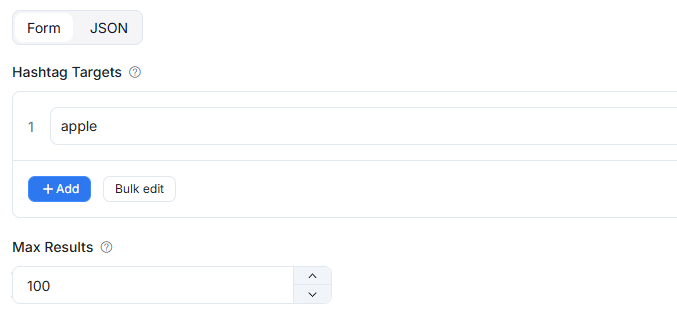
If comment collection is disabled, the Worker will not scrape comment text, and the exported table may not include comment-related columns.
Run results will be saved to CoreClaw's result table.
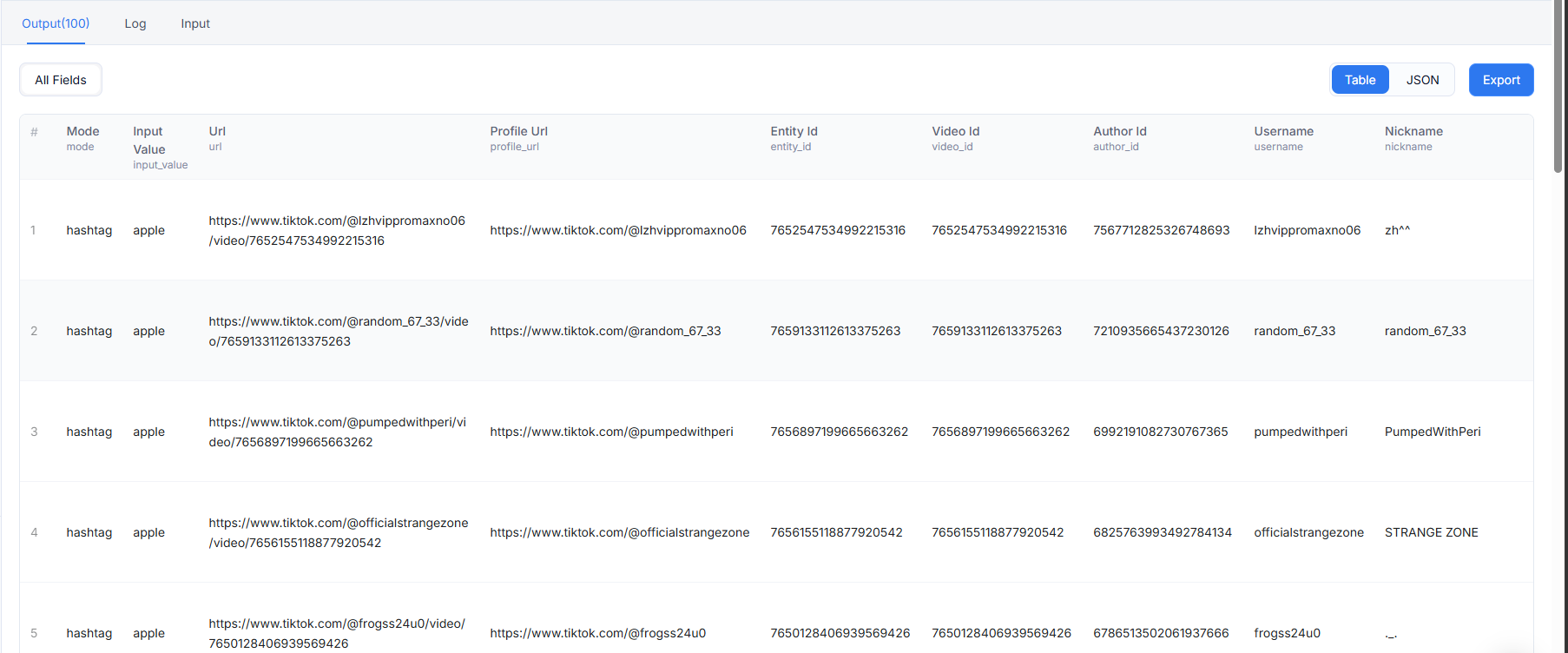
The hashtag mode is used to collect video data under specified hashtags. The following is an output example using the hashtag "apple" with comment collection enabled:
The search mode supports three content types (search_content_type): Top (general results), Video (video results), Profile (user profiles). The following is an output example searching "dance" with Top type:
The user mode is used to collect videos or reposts from specified user profiles, supporting Videos and Reposts sections, sortable by Latest, Popular, or Oldest. The following is an output example using user "tiktok":
The video mode is used to directly collect data from specified video URLs, with the option to also scrape related videos. max_results does not limit direct video URL collection. The following is an output example using a video URL:
| 🎹TikTok Data Extractor | 📹TikTok Video Scraper | 🧛TikTok Profile Data Scraper |
|---|---|---|
| 🎙TikTok Comment Scraper | 🛍TikTok Shop Product Scraper | #️⃣TikTok Bulk Video Scraper |
When the Worker cannot retrieve data for an input—for example, a hashtag doesn't exist, a profile is private, or a post has been deleted—it will write an error item to the results instead of silently skipping it. Normal output items are not affected; you can distinguish between the two by checking whether the status field is failed.
This Worker returns error messages rather than fixed numeric error codes. Common messages include:
| Error message pattern | Meaning |
|---|---|
At least one of hashtag_targets, profile_targets, search_queries, or video_urls must be provided | No collection entry provided |
hashtag is required | Hashtag input is empty |
hashtag must be a TikTok tag keyword or tag URL | Hashtag input is not a keyword or TikTok tag URL |
failed to resolve hashtag id for {value} | Hashtag cannot be resolved or does not exist |
username is required | Profile input is empty |
username must be a TikTok username or profile URL | Profile input is not a username,@username, or profile URL |
invalid TikTok video URL | Video URL does not contain /video/{id} path |
search_content_type must be one of: Top, Video, Profile | Invalid search content type |
profile_scrape_section must be Videos or Reposts | Invalid profile scrape section |
profile_video_sort must be Latest, Popular, or Oldest | Invalid profile video sort option |
No ... results found | TikTok returned no matching results for the input |
TikTok Scraper charges per successfully returned result. You can easily estimate costs based on the Worker's pricing page. For more billing details, please read the CoreClaw pricing page.
Yes. You can integrate TikTok Scraper into your applications and workflows via CoreClaw API, result exports, callbacks, saved tasks, n8n workflows, or CoreClaw MCP server.
CoreClaw API supports programmatic access to the CoreClaw platform. Through the API, you can view Workers and input schemas, run Workers, monitor Worker runs, retrieve results, export results, view logs, re-run tasks, or abort runs. For details, please refer to the CoreClaw API documentation.
When running this Worker, you can use Worker ID 01KVA7QFY7YSV3Q2SX93AXZMMZ or Worker path vew5uoxb/tiktok-duo-gong-neng-jie-kou.
Yes. Through CoreClaw MCP server, you can use this Worker in MCP-compatible clients, including discovering Workers, viewing input schemas, starting runs, monitoring status, listing result rows, exporting result files, and viewing logs. For details, please refer to the CoreClaw MCP documentation.
When using TikTok Scraper, you can first use MCP tools to search for the Worker, load the input schema, start a run with JSON input, and finally retrieve or export results.
This Worker targets public TikTok data and can only collect content that users have chosen to make publicly available. However, results may still contain personal data. Therefore, before collecting, storing, or using this data, you should evaluate TikTok's terms, privacy rules, and legal requirements applicable to your use case. If you are unsure, please consult a qualified legal professional.
TikTok's public web endpoints and page structures may change. If a run fails, returns empty results, or is missing previously available fields, please check the input and run logs first, then provide feedback with a reproducible input example.
Explore more popular scrapers from our marketplace

by CoreClaw
Extract public TikTok post data via profile URLs, including engagement, viral trends and audio info. One-click CSV/JSON export, zero code required.

by CoreClaw
Extract public TikTok video comment data in batches by entering video URLs, including comment content, user information, like counts, reply lists, etc., outputting in CSV or JSON format. Supports sentiment analysis and user insights with zero-code operation and one-click structured data export.

by CoreClaw
By entering URLs, batch extract public TikTok creator profile data, including bio, follower count, content performance, engagement metrics, and more, outputting in CSV or JSON format. Support user analysis and marketing decisions with zero-code operation and one-click export of structured data.

by CoreClaw
Extract public TikTok Shop store data using shop URLs, including store details, product info, pricing, sales data and reviews, without platform API limitations. Supports data export, API calls and third-party integrations.
