HVAC leads are valuable because heating, ventilation, and air conditioning businesses are local, service-based, and often easy to segment by city, category, rating, website quality, and service area. For agencies, software companies, suppliers, and B2B sales teams, HVAC contractors can be a strong target market.
The problem is that finding HVAC leads manually is slow. Searching Google Maps, opening each profile, copying business names, checking websites, and cleaning spreadsheets can take hours. A Google Maps scraper helps turn that manual process into a structured workflow: search by keyword and location, collect public business data, clean the results, and export a usable HVAC lead list.
Why Google Maps Is Useful for HVAC Lead Generation
Google Maps is one of the best starting points for local HVAC lead research because HVAC companies often depend on Google Search and Maps visibility. Google Business Profile lets service businesses show up on Google Search and Maps, where profiles may include business name, website, phone number, service areas, and customer engagement information.
For lead generation, this matters because Google Maps can reveal local HVAC businesses by search intent. A query like “HVAC contractors in Dallas” may return a different set of businesses than “AC repair in Dallas,” “commercial HVAC service,” or “furnace repair near Denver.”
This gives teams more control than buying a generic lead list. Instead of relying on a third-party database, teams can build their own HVAC prospect list based on location, niche, and visible business signals.
What HVAC Lead Data Should You Collect?
A useful HVAC lead is more than a company name. The best lead lists include enough context to help teams decide whether the business is worth contacting.
Core business fields
For most HVAC prospecting workflows, collect:
Field | Why It Matters |
Business name | Identifies the HVAC company |
Website | Helps verify the company and review its online presence |
Phone number | Supports direct outreach |
Available email | Useful when publicly listed |
Address or service area | Helps segment by location |
Category | Confirms whether the company matches the target |
Rating | Shows customer reputation |
Review count | Helps estimate local visibility |
Opening hours | Useful for active business validation |
Source URL | Helps audit the record later |
Lead quality signals
Not every HVAC company is a good prospect. A local SEO agency may prioritize HVAC companies with few reviews. A web design agency may look for contractors with no website. A reputation management provider may focus on companies with low ratings. A supplier may target active HVAC businesses in specific regions.
Useful lead signals include missing websites, low review counts, incomplete profiles, weak ratings, outdated websites, limited service pages, and clear service-area coverage.
Step-by-Step Workflow to Find HVAC Leads
A good HVAC lead workflow should be simple, repeatable, and easy to review.
Step 1: Define HVAC keywords and target locations
Start with search terms that reflect real HVAC services. Do not rely on one broad keyword only.
Examples:
Keyword | Location |
HVAC contractors | Austin, TX |
AC repair | Phoenix, AZ |
furnace repair | Denver, CO |
commercial HVAC service | Chicago, IL |
heating and cooling company | Atlanta, GA |
air conditioning installation | Tampa, FL |
Mix broad and specific keywords. “HVAC contractors” can provide general coverage, while “commercial HVAC service” or “emergency AC repair” may reveal more specialized companies.
Also define the geography clearly. You can search by city, metro area, neighborhood, county, or state depending on the campaign.
Step 2: Run a Google Maps scraper
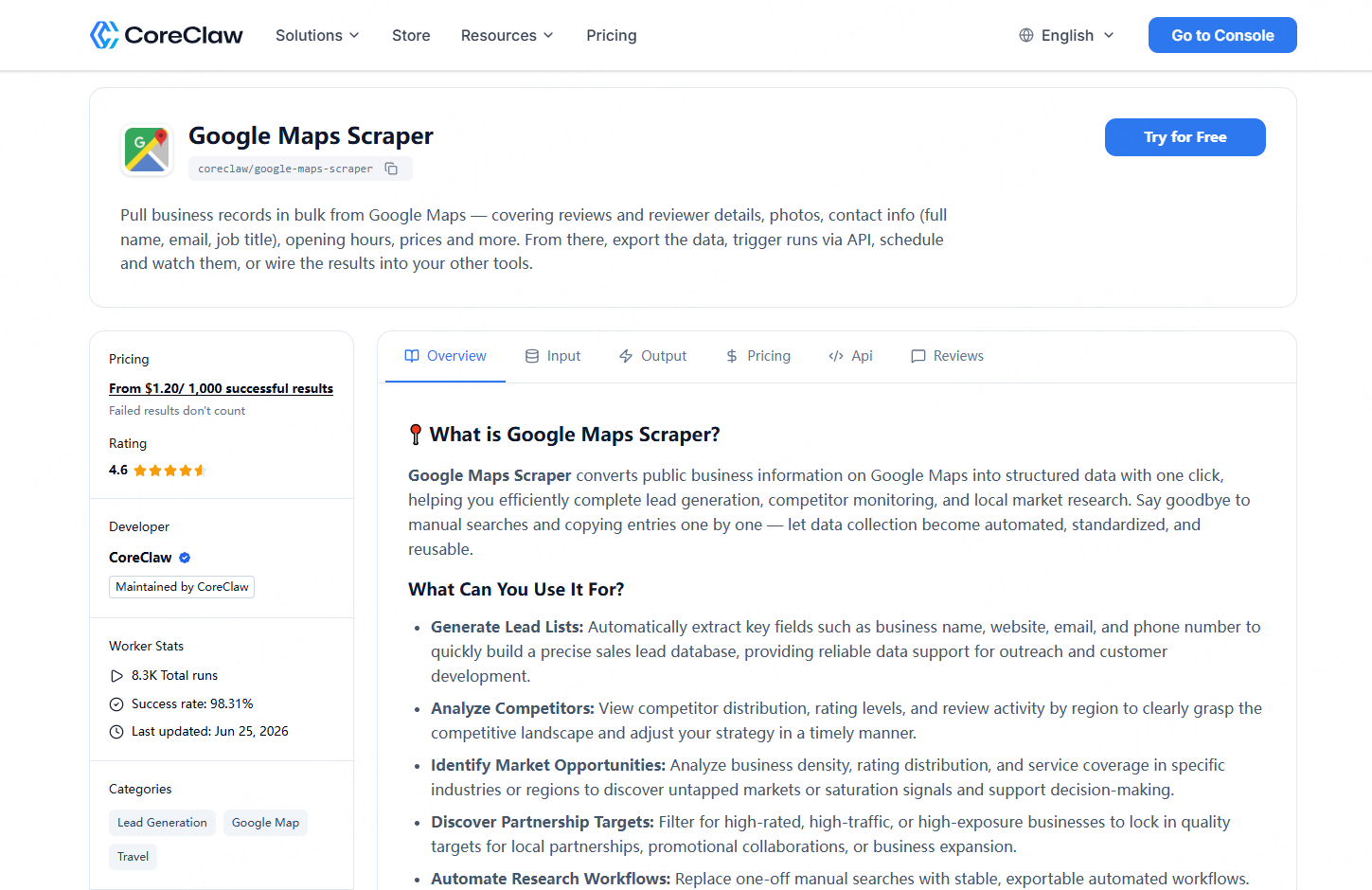
A scraper is a tool that collects public data from web pages and turns it into structured output. In this case, a Google Maps scraper collects public business profile data from Google Maps search results.
CoreClaw’s Google Maps Scraper is designed to bulk extract structured business information from Google Maps. It can collect details such as names, addresses, contact information, emails, social media, ratings, review counts, categories, and opening hours.
Instead of copying HVAC listings one by one, users can enter HVAC-related keywords and locations, run the Worker, and receive structured records.
Step 3: Clean and filter HVAC contractor data
Raw data is rarely ready for outreach. Before exporting, clean and filter the results based on the campaign goal.
For example:
Campaign Goal | Useful Filters |
Web design outreach | No website or weak website |
Local SEO outreach | Low review count or weak profile visibility |
Reputation management | Low rating or many negative reviews |
Supplier prospecting | Active HVAC businesses by city |
Market research | Category, rating, review count, and location |
CoreClaw helps users work with organized, structured outputs instead of raw page content. This makes it easier to remove irrelevant records, deduplicate businesses, and prepare cleaner datasets before export.
Step 4: Export leads to CSV, Excel, JSON, or API
After filtering the data, export it in the format your team needs.
CSV and Excel are best for spreadsheet review, deduplication, tagging, and CRM imports. JSON is useful for developers and data teams. API access is better for recurring workflows, dashboards, or internal sales systems.
CoreClaw supports export-ready formats for Google Maps data, including spreadsheet and structured data formats such as CSV, JSON, XLS, and XLSX.
For example, a growth team could collect HVAC businesses across 30 cities, filter for companies with fewer than 20 reviews, export the cleaned dataset to Excel, and then import qualified records into a CRM.
How CoreClaw Helps Teams Build HVAC Lead Lists
CoreClaw is useful when teams want HVAC leads without writing scripts or managing scraping infrastructure. Users can run a ready-made Google Maps Worker, collect public local business data, clean and filter the results, and export structured lead lists.
This workflow is especially useful for:
Team | Use Case |
SEO agencies | Find HVAC companies with weak local visibility |
Web design agencies | Find contractors without strong websites |
SaaS companies | Build local contractor prospect lists |
Suppliers | Research HVAC businesses by region |
Market research teams | Compare HVAC business density across cities |
Sales teams | Build segmented local outreach lists |
CoreClaw also supports no-code usage for business users and API workflows for technical teams. If the target source is not covered by a ready-made Worker, teams can request a custom Worker for niche directories, association websites, or regional contractor listings.
How to Use HVAC Leads After Export
Exported HVAC leads should not be used as a generic contact list. The best workflow is to segment, verify, and personalize.
A simple process looks like this:
- Remove duplicates and irrelevant categories.
- Check a sample of important fields.
- Segment by city, service type, rating, review count, or website status.
- Add notes for personalization.
- Import qualified records into a CRM or outreach tool.
- Track replies, calls, meetings, and conversions.
For commercial email outreach in the United States, the FTC’s CAN-SPAM guidance says commercial messages must follow rules such as avoiding misleading headers, avoiding deceptive subject lines, identifying the message appropriately, and giving recipients a way to opt out.
Data collection is only one part of responsible lead generation. Outreach still needs relevance, verification, and compliance review.
Common Mistakes to Avoid
The first mistake is collecting too broadly. “All HVAC companies in the United States” may sound useful, but it is often too broad for sales action. A focused list such as “commercial HVAC contractors in Texas with fewer than 50 reviews” is usually easier to use.
The second mistake is ignoring data quality. A large export is not helpful if it contains duplicates, closed businesses, wrong categories, or missing contact fields.
The third mistake is using the same outreach message for every HVAC company. An AC repair contractor, commercial HVAC installer, furnace repair company, and refrigeration service provider may have different needs.
The fourth mistake is assuming scraped data needs no review. For important campaigns, teams should sample-check results before using the data for sales, reporting, or market decisions.
Final Thoughts
Finding HVAC leads is easier when the process is treated as a data workflow, not a manual search task. Google Maps provides a strong starting point because HVAC companies often appear by location, service category, rating, website, and contact details.
With CoreClaw, teams can use a ready-made Google Maps Scraper to collect public HVAC business data without coding, clean and filter the results, export leads to CSV, Excel, JSON, or API, and pay only for successful results. For agencies, suppliers, SaaS teams, and researchers, CoreClaw turns HVAC lead generation into a cleaner, more repeatable workflow.
Frequently Asked Questions

Content Writer @CoreClaw · Last Updated 2026-07-02
Lena Kovalenko researches how modern software systems expose and organize information online. Her writing focuses on the interaction between APIs, web platforms, and automated data workflows. When exploring a topic she typically compares multiple tools to understand their design assumptions. These comparisons often lead to articles that help readers see how different technical approaches influence reliability and efficiency.
View Author Profile →Disclaimer: All information on the CoreClaw Blog is provided “as is” and for informational purposes only. CoreClaw makes no representations and assumes no liability for any consequences arising from your use of information published on the CoreClaw Blog or on any third-party websites linked from it. Before any scraping activity, consult legal counsel, review the target website’s terms of service, and obtain permission where required.