
Extract Google Maps Business Data by Keyword and Location
Search by business type and location to collect structured data, including business names, addresses, phone numbers, websites, public emails, ratings, reviews, opening hours, and more.
No code required. Preview your results and export them to Excel, CSV, or JSON.
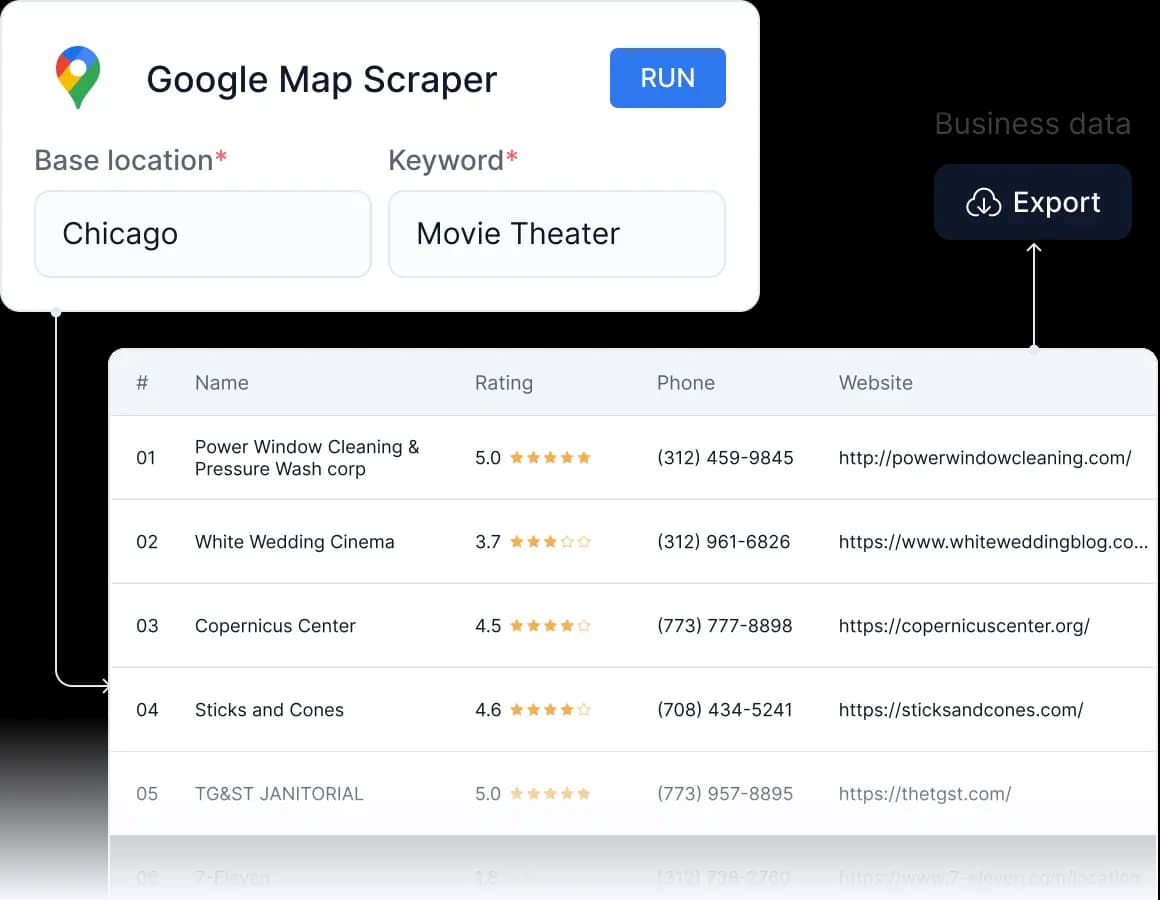
See Business Data Ready to Use
CoreClaw turns Google Maps search results into clean, structured business records that you can review, filter, export, and use across sales, market research, competitor analysis, and data workflows.


Business Details
Business name · Category · Address · City · State or region · Postal code · Country · Coordinates · Google Maps URL
Contact Data
Phone number · Website · Public business email · Social media profiles
Ratings and Business Activity
Average rating · Review count · Reviews · Owner responses · Opening hours · Popular times
Additional place, image, reservation, ordering, and business activity data is available when needed.
The exact fields returned depend on the information each business makes publicly available and the enrichment options enabled for the task.
What Can You Do with Google Maps Business Data?
Build Business and Prospect Lists
Find companies by industry and location, then collect websites, phone numbers, public emails, ratings, and other business details for sales prospecting, supplier research, business directories, or territory planning.
Research Markets and Competitors
Compare business volume, locations, categories, ratings, review activity, and market coverage across different cities, regions, or countries.
Analyze Ratings, Reviews, and Local Activity
Collect ratings, review counts, review content, owner responses, opening hours, and popular times to understand customer feedback, business reputation, and local market activity.
Enrich CRM and Data Workflows
Add structured Google Maps business information to spreadsheets, CRMs, databases, BI tools, and automated workflows without manually opening and copying individual listings.
Turn Google Maps Searches into Structured Data in Three Steps
Enter a Keyword and Location
Enter a business type, service, brand, or place, then select a target city, state, postal code, region, or country.
Choose the Data You Need
Set the number of results and enable optional enrichment such as public emails, social profiles, reviews, or additional business details.
Export or Automate
Review the collected results in CoreClaw, then export them to Excel, CSV, or JSON. For recurring projects, connect the scraper to your existing workflow through API, n8n, MCP, or scheduled tasks.
Why CoreClaw
Start with a Simple Test and Scale with Your Data Needs

No Code Required
Enter your search keywords, target locations, and required result volume directly in CoreClaw. No Python scripts, proxy setup, or scraper maintenance required.

Pay Only for Successful Results
Start with free results and pay only for business records successfully returned by the scraper. Failed results are not counted as successful records.

Export or Automate Your Workflow
Download results for immediate use or connect CoreClaw to spreadsheets, databases, CRMs, API workflows, n8n, MCP, and scheduled tasks.

No credit card required to get started.
