A web scraper is a tool that collects data from web pages and turns it into a usable format. For many teams, the real goal is not scraping itself. The real goal is getting clean product data, lead lists, search results, reviews, job listings, social media data, or market research data that can be used in spreadsheets, CRMs, dashboards, and internal workflows.
That is why clean data export matters. A scraper that only returns messy HTML still leaves your team with manual cleanup work. The best web scraper tools in 2026 help users collect public web data, structure it into useful fields, filter irrelevant records, and export it as CSV, Excel, JSON, or API results.
Why Clean Data Export Matters More Than Raw Scraping
Raw scraping often creates a second problem: messy data. Product prices may include currency symbols in inconsistent formats. Business names may contain duplicates. Search results may mix ads, organic results, and related questions. Social media exports may include missing fields or incomplete URLs.
Clean data export means the output is already organized into useful columns or fields. For example, an ecommerce team needs product title, price, rating, review count, seller, URL, and timestamp. A sales team needs company name, website, phone number, location, rating, category, and email when available. A data team may need JSON output or API access for automation.
What Makes a Web Scraper Useful in 2026?
The best web scraper is not always the most technical tool. It is the tool that fits the workflow.
Business users usually need ready-made scrapers, no-code setup, spreadsheet exports, and simple filtering. Developers may need APIs, structured JSON, scheduling, retries, and integration with databases. Growth teams may care about speed, repeatability, and whether the data can move into outreach tools. AI teams may need clean text, URLs, metadata, and structured outputs for retrieval or enrichment workflows.
A strong tool should support clean output, useful data fields, reasonable error handling, repeatable runs, and responsible public data collection.
Best Web Scraper Tools Compared
1. CoreClaw
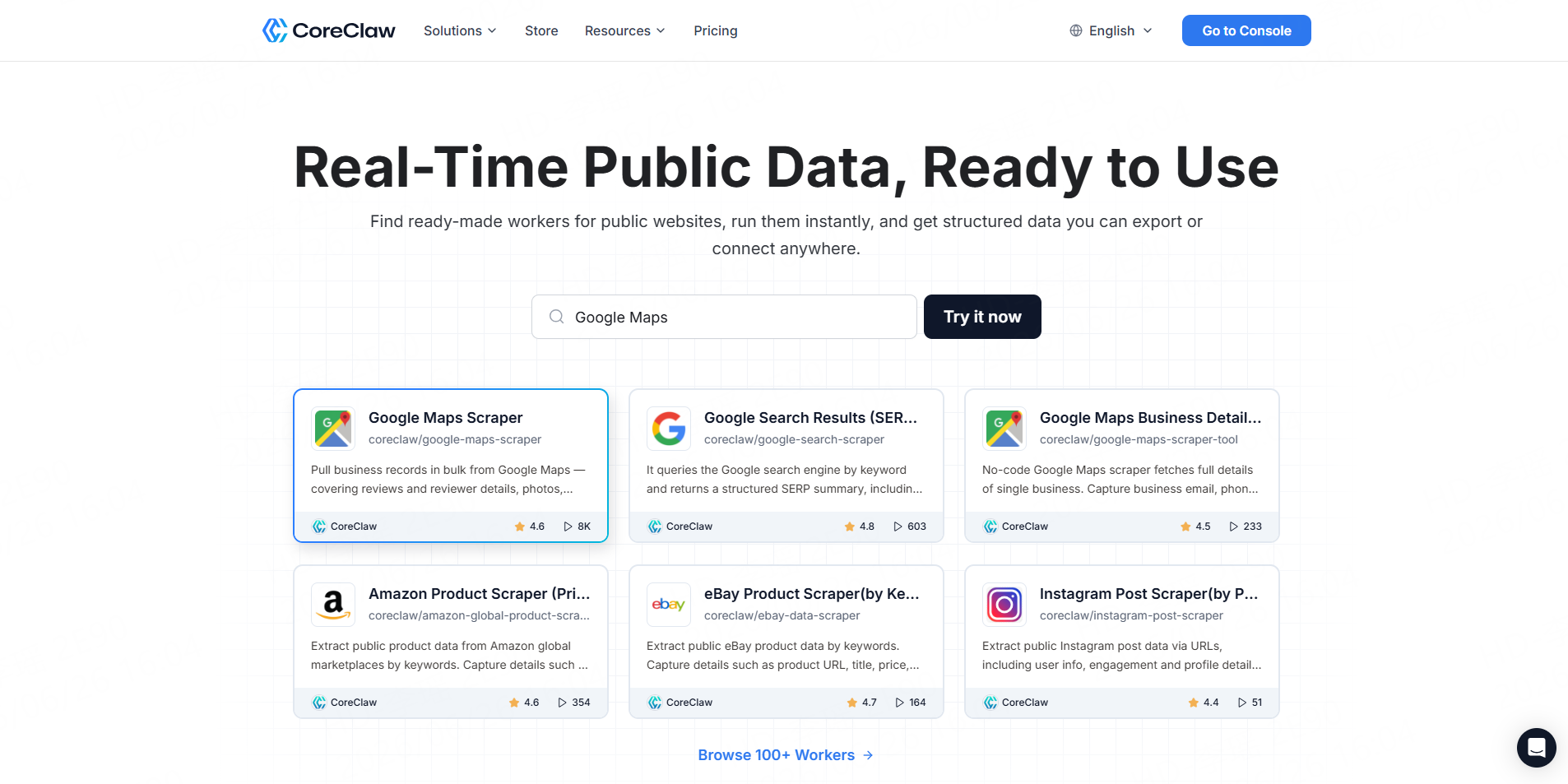
Best for: Teams that want ready-made web data Workers and clean exports without coding.
CoreClaw is a web scraping platform with ready-made data Workers for sources such as Google Maps, Google Search, Amazon, eBay, TikTok, Instagram, Facebook, LinkedIn, Indeed, Yelp, Glassdoor, Zillow, and more. Its platform highlights no-code usage, CSV/JSON/Excel export, API access, and pay only for successful results.
CoreClaw is useful when teams want structured public data without building scrapers from scratch. For example, users can run a Google Maps Worker for local business leads, an Amazon Product Scraper for ecommerce research, or a Google Search Results Scraper for SEO data. Results can be cleaned, filtered, exported, or connected through API workflows.
Pros: Ready-made Workers, no coding required, structured outputs, CSV/JSON/Excel export, API access, pay per successful result, custom Worker option.Cons: Best when a matching Worker already exists; very niche sites may require a custom Worker.
2. Apify
Best for: Technical teams that want a scraper marketplace and automation platform.
Apify offers a large marketplace of Actors for scraping websites, automating workflows, and feeding AI systems with web data. It also lets developers build and deploy their own Actors.
Apify is flexible and powerful, but users need to choose the right Actor, review output quality, and sometimes adjust settings. It is strong for teams that want both ready-made tools and developer customization.
Pros: Large marketplace, cloud automation, API access, custom Actors.Cons: Some workflows have a learning curve, and Actor quality can vary.
3. Bright Data
Best for: Enterprise-scale web data infrastructure.
Bright Data appears frequently in web scraping tool and API comparison results, especially for large-scale scraping, proxy infrastructure, datasets, and enterprise data access.
It is a strong option for companies with large data operations and developer resources. Smaller teams that mainly want clean spreadsheet exports may find it more infrastructure-heavy than necessary.
Pros: Enterprise-grade infrastructure, broad data products, strong scaling options.Cons: More complex for simple no-code data export workflows.
4. Octoparse
Best for: Business users who prefer visual no-code scraping.
Octoparse positions itself as a no-code web crawler that turns web pages into structured data in minutes. Its use cases include ecommerce, media monitoring, social media intelligence, and other business data workflows.
Octoparse is useful for users who want to click through pages and define extraction rules visually. It may require more manual configuration than a source-specific ready-made Worker.
Pros: No-code interface, templates, useful for common visual extraction tasks.Cons: More setup may be needed for complex or changing websites.
5. ParseHub
Best for: Beginners who want a free visual scraping tool.
ParseHub describes itself as a free web scraping tool that can turn any site into a spreadsheet or API by clicking on the data users want to extract.
It is a practical option for small projects and learning. For recurring business workflows, teams should test export quality, maintenance effort, and whether the tool handles their target sites reliably.
Pros: Free starting point, visual selection, spreadsheet/API output.Cons: Advanced workflows may still require technical understanding.
6. Browse AI
Best for: No-code website monitoring and simple data extraction.
Browse AI lets users scrape web data, monitor webpage changes, and turn websites into APIs. Its site emphasizes no-code robots, point-and-click setup, and website monitoring.
Browse AI is useful when teams need recurring monitoring from a website. For platform-specific data sources such as Google Maps, Amazon, or eBay, a ready-made Worker may be faster.
Pros: No-code robots, monitoring, useful for change tracking.Cons: Less ideal when users need deeply source-specific fields immediately.
7. ScraperAPI
Best for: Developers who want a scraping API.
ScraperAPI’s comparison content highlights factors such as speed, scalability, pricing, ease of use, error handling, support, and customization when evaluating scraping tools.
ScraperAPI is better for teams that can write code and parse responses. It helps with scraping infrastructure, but users still need to extract, clean, and structure the final data.
Pros: Developer-friendly API, useful for custom systems.Cons: Requires engineering work for parsing and data cleanup.
8. Firecrawl
Best for: AI teams that need clean web extraction for LLM workflows.
Firecrawl positions itself as a toolkit to search, scrape, and interact with the web at scale, with clean web data for AI agents and structured outputs such as markdown and JSON.
It is a strong fit for AI workflows where content needs to be converted into model-ready text. For business users who need platform-specific datasets, CoreClaw’s Workers may be more direct.
Pros: AI-friendly extraction, markdown/JSON outputs, developer-ready.Cons: More focused on AI/web extraction than ready-made marketplace datasets.
Comparison Table: Which Web Scraper Should You Choose?
Tool | Best For | No-Code Friendly | Export Strength |
CoreClaw | Ready-made public data Workers | Yes | CSV, Excel, JSON, API |
Apify | Marketplace and custom automation | Partial | JSON, CSV, Excel, API |
Bright Data | Enterprise data infrastructure | Partial | API and datasets |
Octoparse | Visual no-code scraping | Yes | CSV, Excel, JSON |
ParseHub | Beginner visual scraping | Yes | Spreadsheet and API |
Browse AI | Monitoring and robots | Yes | Spreadsheet/API workflows |
ScraperAPI | Developer scraping API | No | API-first |
Firecrawl | AI-ready web extraction | Partial | Markdown, JSON, API |
Common Use Cases for Web Scraper Tools
Web scraper tools are used across many business workflows, but the best tool depends on the data source and export format.
Use Case | Data Teams Usually Need | CoreClaw Fit |
Ecommerce research | Product titles, prices, reviews, availability, seller data | Amazon Product Scraper, eBay Product Scraper |
Lead generation | Business names, websites, phone numbers, addresses, ratings, categories | Google Maps B2B Leads Generation Scraper |
SEO research | Search results, ranking URLs, snippets, related queries, People Also Ask | Google Search Results Scraper |
Market research | Reviews, listings, social posts, competitor activity | Ready-made Workers or custom Workers |
AI data preparation | Clean public data, structured fields, source URLs, metadata | CSV/JSON export and API workflows |
For most teams, the goal is not to scrape as much data as possible. The goal is to collect the right public data, clean it, filter it, and export it in a format that can be used in spreadsheets, CRMs, dashboards, or internal tools.
Final Thoughts
The best web scraper in 2026 is not just the tool that can fetch pages. It is the tool that helps teams move from public web pages to clean, structured, ready-to-use data.
With CoreClaw, teams can use ready-made Workers, collect public data without coding, clean and filter results, export CSV/JSON/Excel files, connect workflows through API access, pay only for successful results, and request custom Workers when a specific source is not already supported. For ecommerce, lead generation, SEO research, social media analysis, AI data preparation, and market research, CoreClaw gives teams a practical path from scraping to usable data.
Frequently Asked Questions

Content Writer @CoreClaw · Last Updated 2026-06-26
Lena Kovalenko researches how modern software systems expose and organize information online. Her writing focuses on the interaction between APIs, web platforms, and automated data workflows. When exploring a topic she typically compares multiple tools to understand their design assumptions. These comparisons often lead to articles that help readers see how different technical approaches influence reliability and efficiency.
View Author Profile →Disclaimer: All information on the CoreClaw Blog is provided “as is” and for informational purposes only. CoreClaw makes no representations and assumes no liability for any consequences arising from your use of information published on the CoreClaw Blog or on any third-party websites linked from it. Before any scraping activity, consult legal counsel, review the target website’s terms of service, and obtain permission where required.